
The Operating Systems domain is the heart of the 220-1102 exam. CompTIA assigns it twenty-seven percent of the score weight, the largest single domain on either A+ exam, and the failure rate inside this domain is the leading reason candidates retake Core 2. The reason is not difficulty — A+ is an entry-level credential — but breadth. Three operating-system families across two decades of versions, dozens of command-line utilities, and a deep bench of GUI configuration locations all sit in scope.
This guide unpacks the domain into its real-world structure, names the topics that reliably appear on the exam, and points to the hands-on drills that move a candidate from theory to muscle memory.
What 220-1102 Really Tests
The official 220-1102 blueprint splits Core 2 into four domains. The Operating Systems domain is Domain 1.
| Domain | Title | Weight |
|---|---|---|
| 1.0 | Operating Systems | 27% |
| 2.0 | Security | 25% |
| 3.0 | Software Troubleshooting | 22% |
| 4.0 | Operational Procedures | 26% |
Twenty-seven percent on a 90-question exam is roughly twenty-four scored items. Add the performance-based questions that overlap into OS commands and configuration paths, and the operating-system content drives close to a third of your final score.
Core 2 is where the exam tests whether a candidate can actually use a computer the way a help-desk technician uses one. It is not theory. It is open the right tool, run the right command, and fix the user's problem before the ticket escalates.
The exam is vendor-aware but not vendor-locked. Windows 10 and Windows 11 dominate the questions; macOS and Linux receive proportionally less weight but still appear in roughly fifteen to twenty percent of OS items. Treating macOS and Linux as optional is a documented failure pattern.
Windows: The Bulk of the Domain
Windows accounts for roughly two-thirds of OS-domain questions. The exam covers Windows 10 throughout and Windows 11 with growing emphasis as the version distribution shifts. Microsoft ended mainstream support for Windows 10 on 14 October 2025, and CompTIA has been gradually rebalancing item bank weighting toward Windows 11.
Editions and Their Differences
The exam expects you to distinguish editions by feature set, not by marketing pitch. A practical comparison:
| Edition | Domain Join | BitLocker | Hyper-V | Group Policy | Remote Desktop Host |
|---|---|---|---|---|---|
| Home | No | No | No | No | No |
| Pro | Yes | Yes | Yes | Yes | Yes |
| Enterprise | Yes | Yes | Yes | Yes | Yes |
| Pro for Workstations | Yes | Yes | Yes | Yes | Yes |
A common scenario asks why a user cannot join their laptop to the corporate domain. The answer is almost always the laptop is running Home edition. Memorize this matrix; it generates two or three guaranteed points.
BitLocker -- a full-volume encryption feature in Windows Pro and Enterprise editions that uses AES with TPM-backed key protection, protecting data at rest if a drive is removed or a device is stolen.
Hyper-V -- the type-1 hypervisor included with Windows Pro and Enterprise that supports running guest operating systems, also a prerequisite for the Windows Subsystem for Linux 2 architecture.
Command-Line Tools You Must Know Cold
Roughly half the Windows questions land on the command line. The exam draws from both cmd.exe legacy commands and PowerShell cmdlets.
ipconfigandipconfig /allfor network adapter stateping,tracert,pathping,nslookupfor connectivity diagnosisnetstat -anoto enumerate listening ports and owning process IDschkdsk /f /rfor filesystem repairsfc /scannowfor system file integrity verificationdism /online /cleanup-image /restorehealthfor component-store repairgpupdate /forceandgpresult /rfor Group Policy refresh and audittasklist,taskkill /pid <pid> /ffor process managementshutdown /r /t 0and/svariantsrobocopyfor resilient file copy operations
A frequent exam scenario: a user reports corrupted system files after an update. The expected ordered response is sfc /scannow first, then dism for component-store repair, then chkdsk if disk integrity is suspected. Order matters in performance-based questions.
GUI Locations: Where Things Live
Windows 11 reorganized the Settings app extensively, and the legacy Control Panel still exists for many configuration tasks. The exam tests both paths.
- Network adapter configuration: Settings > Network and Internet > Advanced network settings, or
ncpa.cplfor the legacy view. - User account management: Settings > Accounts, or
lusrmgr.mscfor local users and groups on Pro/Enterprise. - Device Manager:
devmgmt.mscfrom Run, or right-click Start. - Services:
services.msc, with start, stop, restart, and startup-type changes. - Event Viewer:
eventvwr.msc, with focus on the System, Application, and Security logs. - Performance Monitor:
perfmon, with awareness of resource counters.
Memorize the .msc and .cpl shortcut names. PBQs frequently use the Run dialog to launch tools, and selecting the wrong shortcut wastes precious seconds.
macOS: Smaller Slice, Higher Per-Question Stakes
macOS occupies about ten to fifteen percent of the OS domain. The exam covers core navigation, system preferences, disk management, and a small set of command-line utilities. Apple's transition from Intel to Apple Silicon (M1, M2, M3, M4) introduced architecture-aware questions that the older 220-1002 exam did not include.
Core macOS Topics on the Exam
- Spotlight for system-wide search, invoked with
Cmd+Space - Mission Control and Spaces for window management
- Time Machine for incremental backup to external storage or network share
- Disk Utility for partition management, First Aid (the macOS equivalent of
chkdsk), and APFS volume operations - Keychain Access for credential and certificate storage
- System Settings (renamed from System Preferences in macOS Ventura)
- FileVault full-disk encryption
- Gatekeeper application execution policy
- XProtect built-in malware scanning
A typical exam scenario: a user's MacBook will not boot past the Apple logo. The expected response involves booting into Recovery (Cmd+R on Intel, hold the power button on Apple Silicon), running First Aid in Disk Utility, and reinstalling macOS only if First Aid fails.
Technicians who can switch contexts between Windows and macOS without re-learning concepts are the ones hiring managers tend to favor. The OS is just a wrapper around the same underlying primitives.
The defaults command line, softwareupdate, diskutil, and kextstat (less common after kernel-extension deprecation) round out the macOS command-line set the exam may surface.
Linux: The Often-Skipped Differentiator
Linux gets roughly ten percent of the OS domain, sometimes less. Candidates routinely under-prepare here because they assume Linux is too narrow to matter. Two to three Linux questions can swing a borderline pass to a fail.
Linux Commands the Exam Loves
The blueprint specifically calls out a small command set, and the exam stays close to it. Drilling these in a free Ubuntu virtual machine for two evenings covers the territory.
ls,cd,pwd,mv,cp,rm,mkdir,rmdirfor filesystem navigationcat,less,head,tail,grep,findfor file content and searchchmod,chown,chgrpfor permissionsps,top,kill,killallfor process managementdf,du,mount,umount,fdiskfor disk and filesystemapt,apt-get,yum,dnf,rpmfor package management across Debian and Red Hat familiesip,ifconfig(deprecated but still tested),ping,digfor networkingpasswd,useradd,usermod,userdelfor user managementsudo,sufor privilege escalationnano,vibasic editor operations
chmod numeric notation -- the three-digit base-8 representation of file permissions where each digit is the sum of read (4), write (2), and execute (1) for owner, group, and others respectively. chmod 755 script.sh grants the owner full permissions and others read-and-execute only.
Package manager scope -- apt and dpkg operate on Debian-derived distributions like Ubuntu, while yum, dnf, and rpm operate on Red Hat-derived distributions like Fedora, RHEL, CentOS, and Rocky Linux.
A common PBQ presents a Linux terminal screenshot and asks the candidate to choose the command that lists running processes consuming the most CPU. The answer is top (or htop if available). Wrong answers include ps without sorting flags and df.
File Systems Across the Three OS Families
The exam regularly asks file-system identification and compatibility questions. A short reference table:
| File System | Native To | Read on Other OS | Write on Other OS |
|---|---|---|---|
| NTFS | Windows | Yes (macOS, Linux) | Limited (read-only on macOS without third-party driver) |
| FAT32 | Cross-platform | Yes everywhere | Yes everywhere, 4 GB file limit |
| exFAT | Cross-platform | Yes everywhere | Yes everywhere, no 4 GB limit |
| APFS | macOS | Limited | No without third-party tooling |
| ext4 | Linux | Limited | No without third-party tooling |
The most common exam scenario: a user wants to move a 6 GB video file between a Windows laptop and a MacBook on a USB drive. The correct format is exFAT, because FAT32 cannot hold the file and NTFS is read-only on macOS by default.
Boot Process Differences
Boot-process questions appear in both Domain 1 and Domain 3 (Software Troubleshooting). The exam tests recognition of failure modes per OS.
- Windows: UEFI/BIOS POST -> bootloader (Windows Boot Manager / BCD) -> kernel load -> session manager (smss.exe) -> Winlogon. Recovery is via Advanced Startup Options or
bootrec /fixbootandbcdbootfrom Windows Recovery Environment media. - macOS: Power button -> firmware -> bootloader -> kernel (XNU) -> launchd. Recovery is via internet recovery (
Cmd+Option+Ron Intel) or holding the power button on Apple Silicon. - Linux: BIOS/UEFI -> GRUB bootloader -> kernel -> initramfs -> systemd (or sysvinit on older systems). Recovery is via single-user mode by editing GRUB parameters or booting from a live USB.
A candidate who can describe what GRUB does without reading from notes has internalized the Linux boot process well enough for the exam.
Real-World Scenarios From the Exam Bank
CompTIA writes scenarios that mirror help-desk tickets. Three patterns recur:
The slow Windows machine: a user complains of multi-minute boot times. The expected diagnostic path is Task Manager > Startup tab to disable unnecessary auto-launching applications, then
msconfigfor service review, then reviewing event logs for disk SMART errors.The locked-out Mac: a user forgot their macOS login password on a FileVault-encrypted disk. The expected response involves the recovery key stored in iCloud (if linked) or the FileVault recovery key the IT department issued at provisioning time.
The permission-denied Linux script: a user downloaded a shell script and cannot execute it. The expected response is
chmod +x script.shfollowed by./script.sh. Distractors invokesudounnecessarily.
Microsoft's Windows Sysinternals suite is mentioned in objectives and shows up as Process Explorer, Autoruns, and Process Monitor in scenario flavor. Mark Russinovich, the suite's creator, is a useful name to recognize.
A Two-Week Study Plan for Domain 1
Operating Systems is broad enough that a structured plan beats unstructured study.
Days 1-3: Windows command line. Run every command in the list above against a real Windows 10 or 11 VM. Take notes on output format because PBQs show output and ask interpretation questions.
Days 4-6: Windows GUI tour. Open every
.msc, every.cpl, every Settings panel referenced in the objectives. Take screenshots and label them for review.Days 7-8: macOS. Borrow or rent time on a MacBook if you do not own one. Cloud-based Mac instances at MacStadium or AWS EC2 Mac instances work for paid practice.
Days 9-10: Linux. Install Ubuntu in VirtualBox or use the free Linux Foundation Introduction to Linux lab environment. Run every command in the list at least three times.
Days 11-13: Mixed practice. Pull one hundred OS-domain practice questions and review every wrong answer with research, not just the explanation.
Day 14: Full timed practice exam, OS section first, then targeted review of the weakest sub-topic.
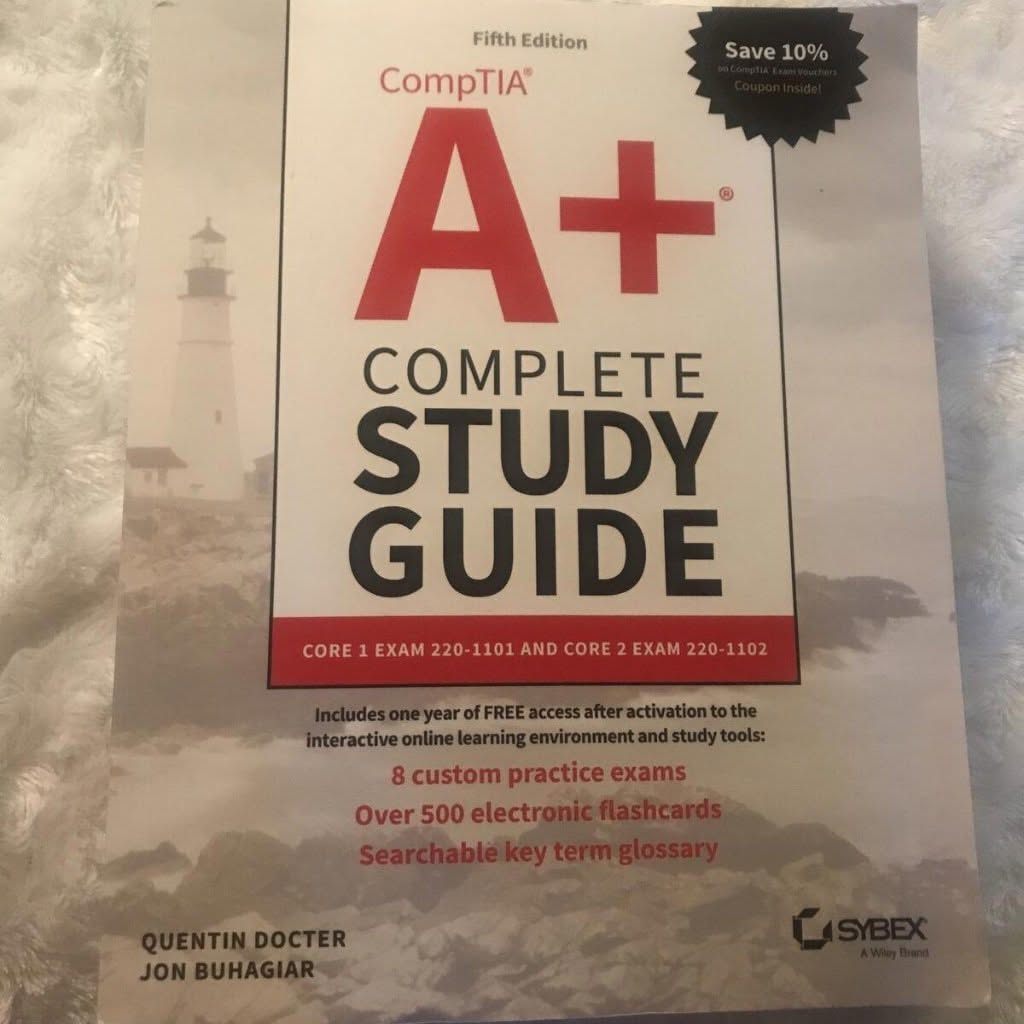
The book CompTIA A+ Complete Study Guide: Exam Core 1 220-1101 and Exam Core 2 220-1102 by Quentin Docter and Jon Buhagiar is the standard reference and pairs well with Mike Meyers' CompTIA A+ Certification All-in-One Exam Guide. Use one as primary text and the other for cross-checking.
Common Misconceptions That Cost Points
Three myths persist among Core 2 candidates and each costs measurable points on exam day.
The first is that PowerShell can be ignored in favor of cmd.exe. The reality is that the exam blueprint explicitly references PowerShell cmdlets like Get-Process, Get-Service, and Stop-Process, and Microsoft positions PowerShell as the default Windows shell on modern installations. A candidate who has never opened PowerShell loses two to four questions.
The second is that the Windows Registry is too obscure to study. The exam tests recognition of the major hives — HKLM, HKCU, HKCR, HKU, HKCC — and which configuration domain each governs. Questions about persistence and startup locations frequently route through registry paths like HKLM\Software\Microsoft\Windows\CurrentVersion\Run. A thirty-minute walkthrough of regedit covers this gap.
The third is that Active Directory is enterprise-only and out of scope. In practice, Core 2 covers AD account types, organizational units, group policy at a conceptual level, and login script behavior. The exam writers expect entry-level technicians to recognize an AD environment when they see one and know which utility (Active Directory Users and Computers, dsa.msc) to launch.
A small final note about IBM and RedHat acquisitions: the exam tests Red Hat-derived package management commands generically without naming corporate ownership. Distribution-family awareness matters; corporate history does not.
A fourth pitfall is over-reliance on memorization without spaced repetition. The objectives list is long enough that a single linear pass through study notes does not survive contact with the question bank. Anki decks built around the official objective bullets, reviewed for fifteen minutes a day, outperform a single weekend cram by a wide margin. Candidates who report high scores commonly credit some form of spaced-repetition practice in their preparation.
See also: /certifications/comptia/comptia-a-plus-core-1-and-core-2-what-actually-changed, /certifications/comptia/comptia-a-plus-vs-network-plus-difficulty, /certifications/comptia/comptia-performance-based-questions-how-to-approach-them, /exam-prep/study-techniques/, /resources/practice-question-banks/
References
- CompTIA. A+ Certification Exam Objectives 220-1102. CompTIA, April 2022, refreshed 2024.
- Docter, Quentin and Jon Buhagiar. CompTIA A+ Complete Study Guide: Exam Core 1 220-1101 and Exam Core 2 220-1102, 5th Edition. Sybex / Wiley, 2022.
- Meyers, Mike. CompTIA A+ Certification All-in-One Exam Guide, Eleventh Edition (Exams 220-1101 and 220-1102). McGraw-Hill, 2022.
- Microsoft. Windows 11 Documentation: Editions and Feature Comparison. Microsoft Learn, 2024.
- Apple. macOS User Guide and Recovery Documentation. Apple Support, 2024.
- Linux Foundation. Introduction to Linux (LFS101). edX free course, ongoing.
- Russinovich, Mark and Aaron Margosis. Troubleshooting with the Windows Sysinternals Tools, 2nd Edition. Microsoft Press, 2016.
Frequently Asked Questions
How much weight does Operating Systems carry on 220-1102?
Operating Systems is Domain 1 at 27% of the exam, the largest single domain on Core 2. Add overlapping performance-based questions and OS content drives nearly a third of the final score.
Do I need Linux knowledge for A+ Core 2?
Yes. Linux receives about 10% of the OS domain, which translates to two or three questions. Skipping Linux preparation is a documented failure pattern for borderline candidates.
Which Windows version dominates 220-1102?
Windows 10 throughout with growing Windows 11 emphasis as the user base shifts. Mainstream Windows 10 support ended on 14 October 2025, and CompTIA continues to rebalance item weighting toward Windows 11.